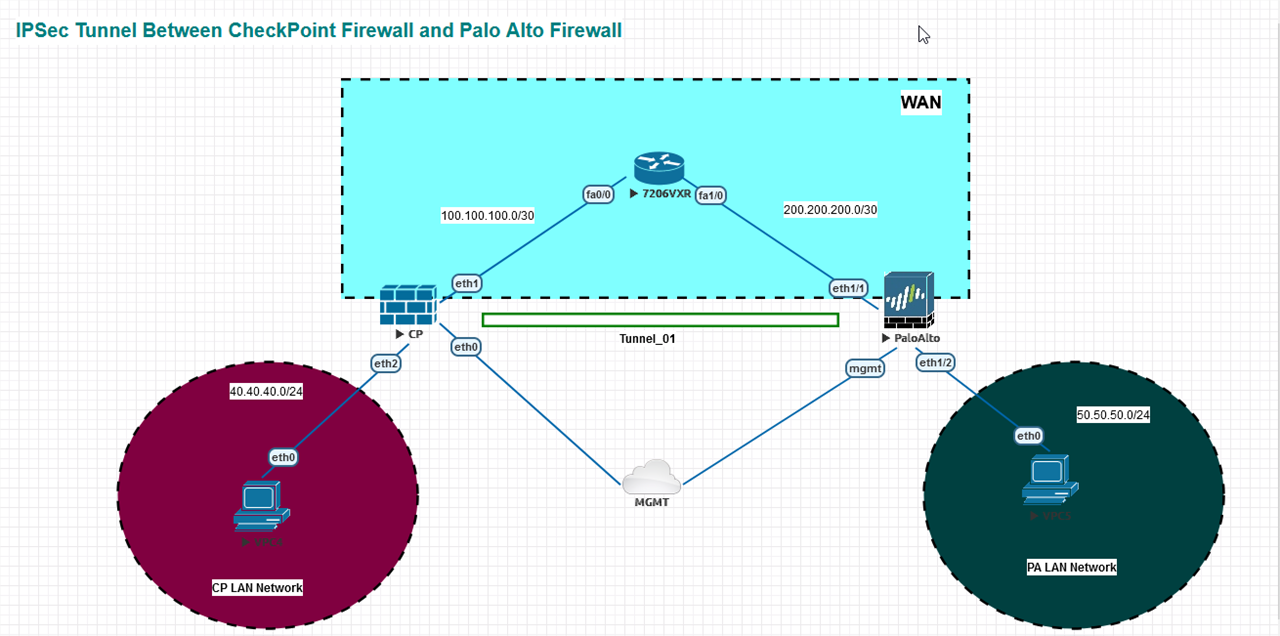
Hello everyone, today I’d like to share step by step guide for configuration ipsec tunnel between CheckPoint Firewall and PaloAlto firewall using eve-ng.
LAB Diagram
CheckPoint Side Configuration
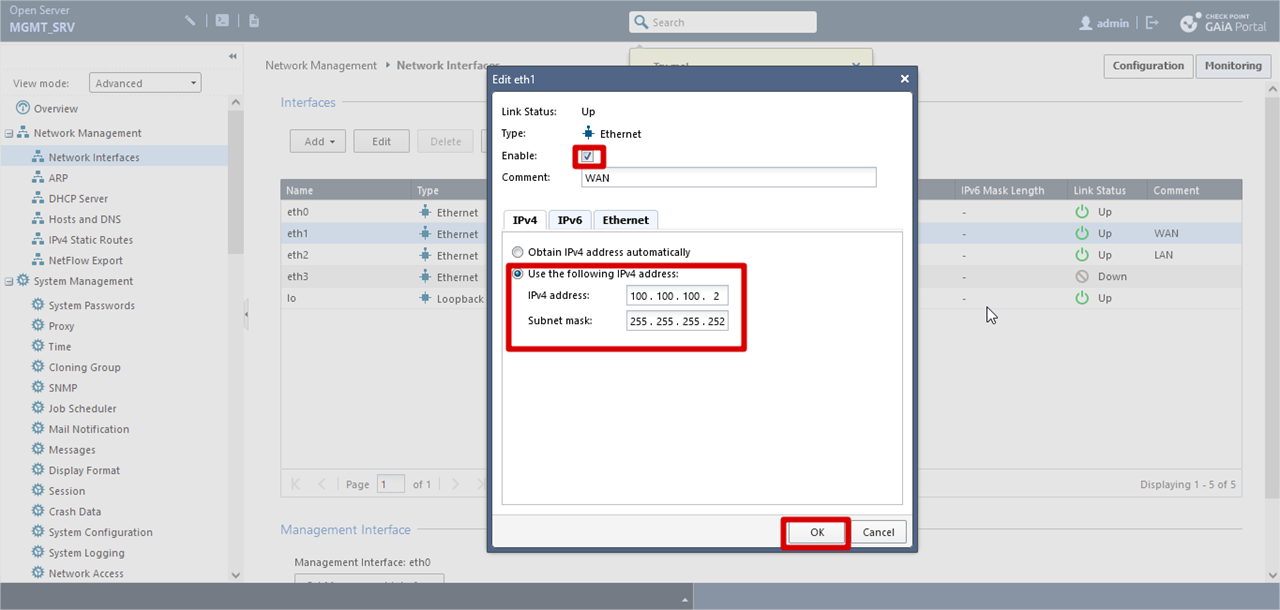
For WAN Interface
Network Management >> Network Interfaces >> Click eth1 >> Edit >> Comment (optional) >> Checked Enabled >> Assign ip address manually >> Click OK
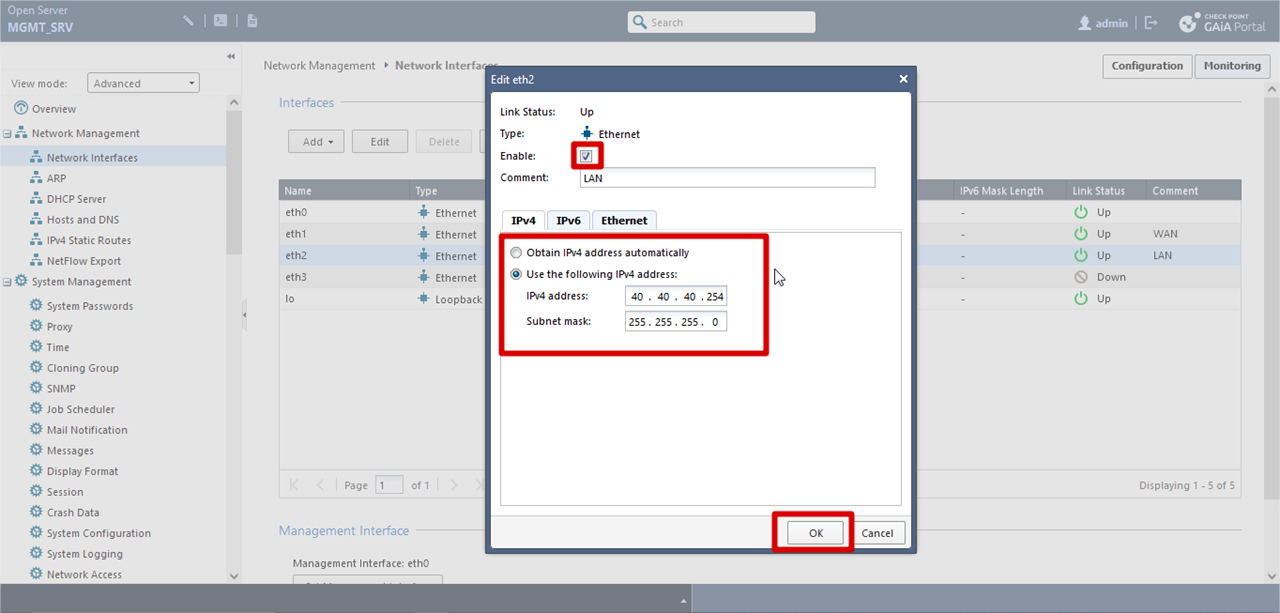
For LAN interface
Network Management >> Network Interfaces >> Click eth2 >> Edit >> Comment (optional) >> Checked Enabled >> Assign ip address manually >> Click OK
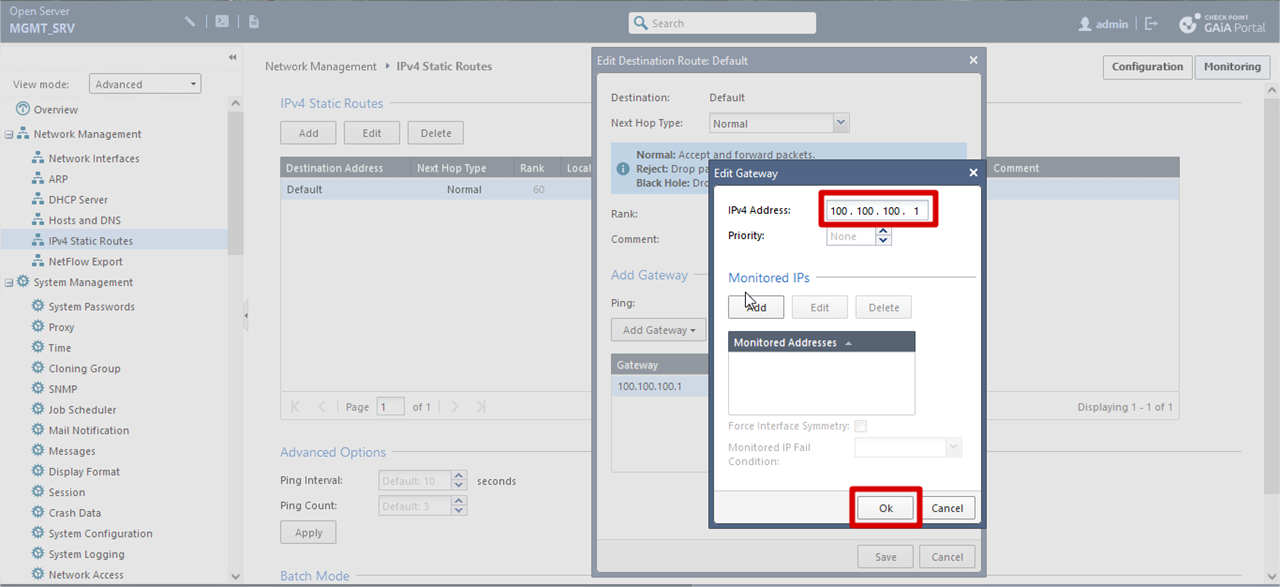
Static Route Configuration
Network Management >> IPv4 Static Routes >> Click Default >> Edit >> Click Gateway >> Edit >> add the gateway ip address >> Click OK
Login to the Smart Console >> navigate to the right side and Click New >> Network
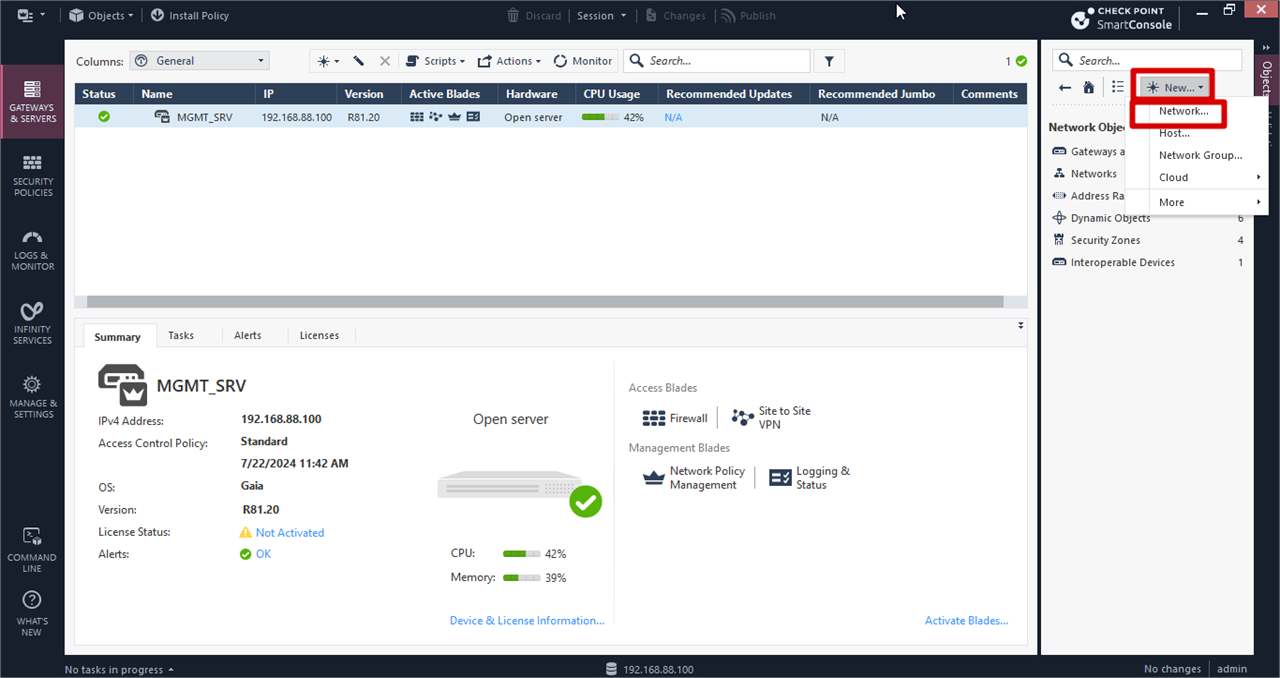
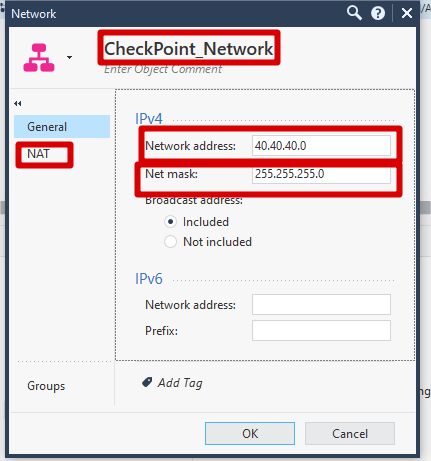
Checkpoint Internal Network Creation
Give a suitable name >> Click General >> Add Network Address and Subnet Mask
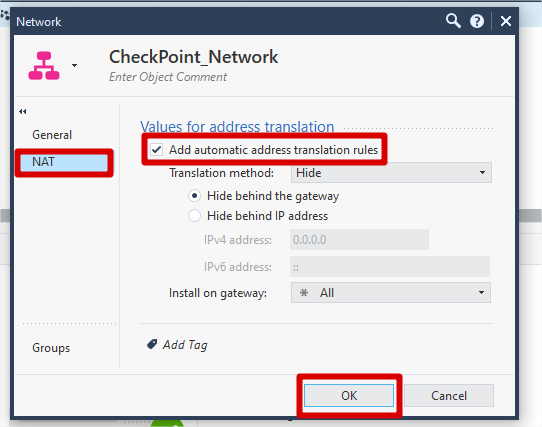
Click NAT >> Checked Add Automatic address translation rules (for SNAT translation behind checkpoint firewall) >> Click OK
For PA Network Creation
Repeat Same Step likes checkpoint network creation
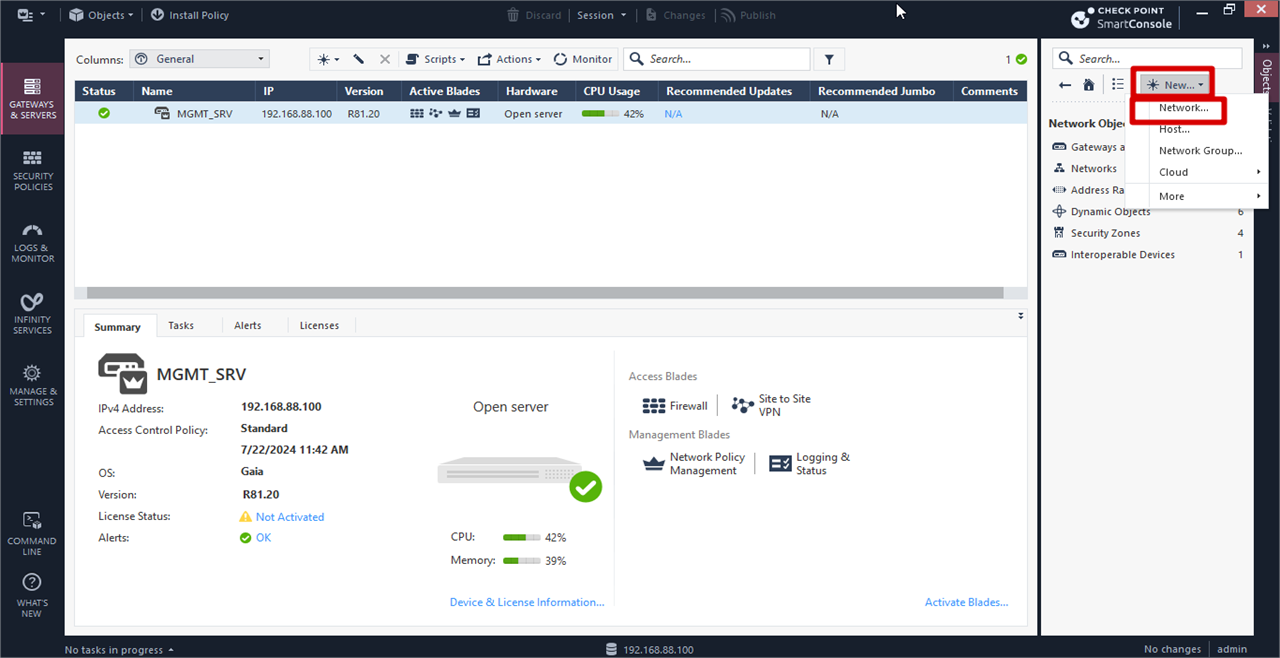
PA Network Creation
Give a suitable name >> Click General >> Add Network Address and Subnet Mask
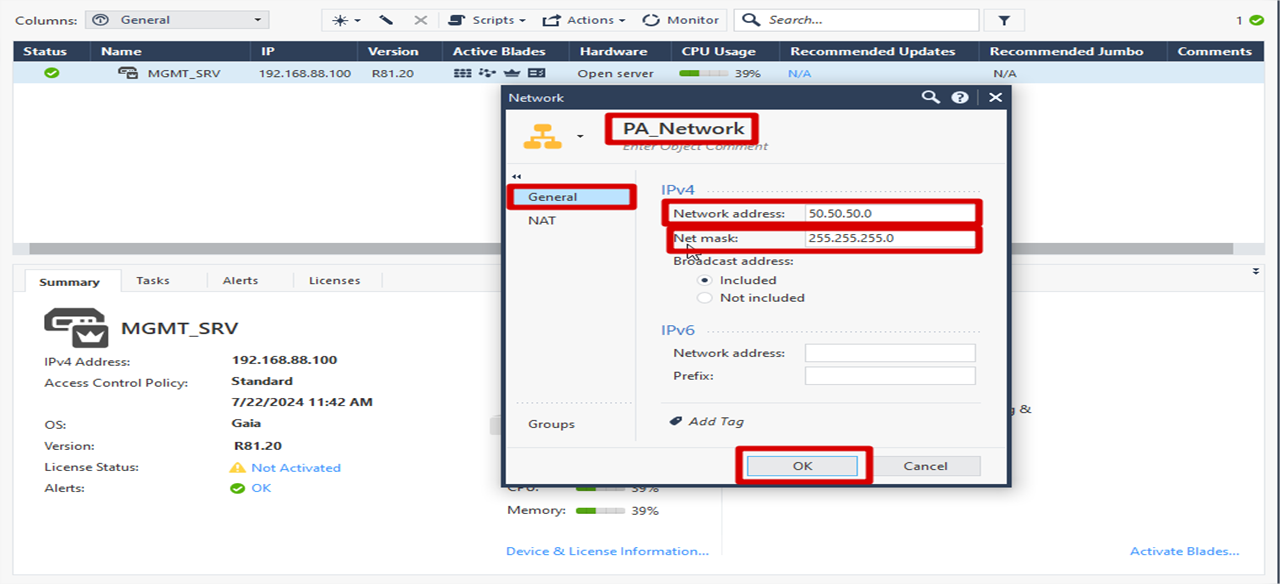
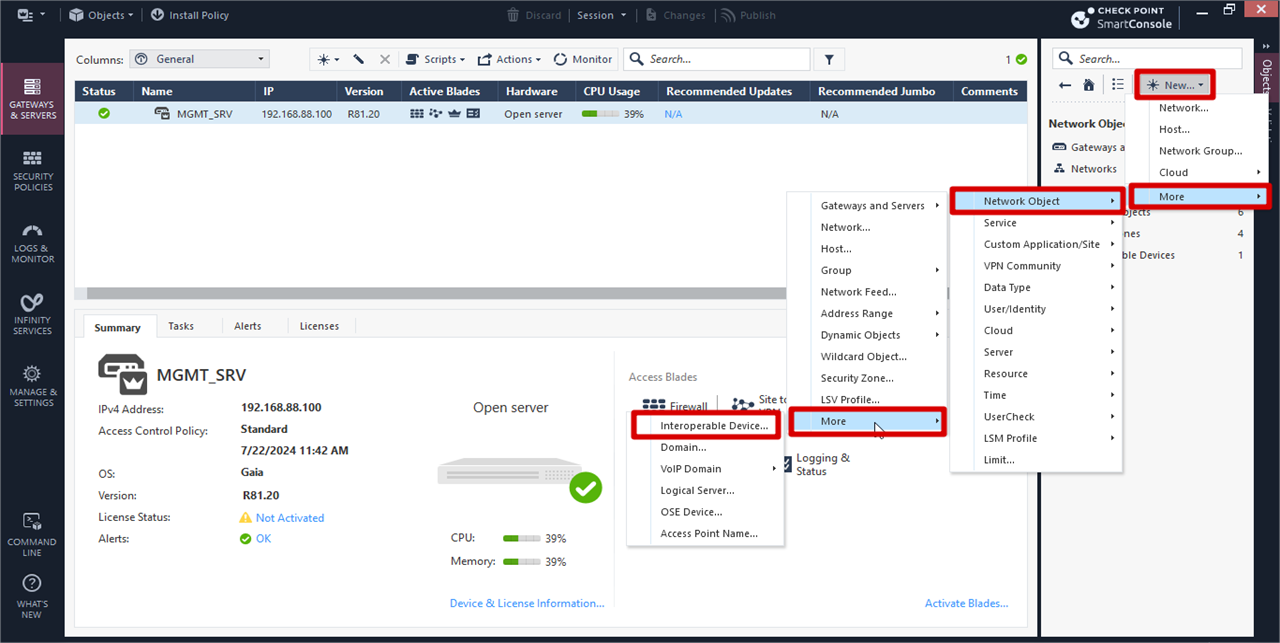
Adding PA firewall object in checkpoint for ipsec tunnel
Click On right Navigation bar >> New >> More >> Network Object >> More >> Interoperable Device
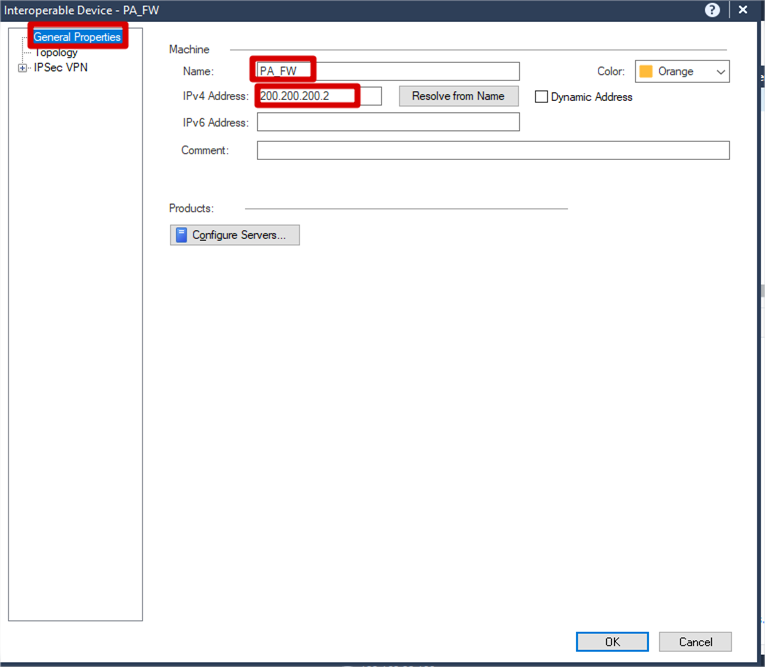
Configure the public ip address of PA firewall
General Properties >> Name (Suitable Name) >>
IPv4 Address (Public IP address of PA firewall)
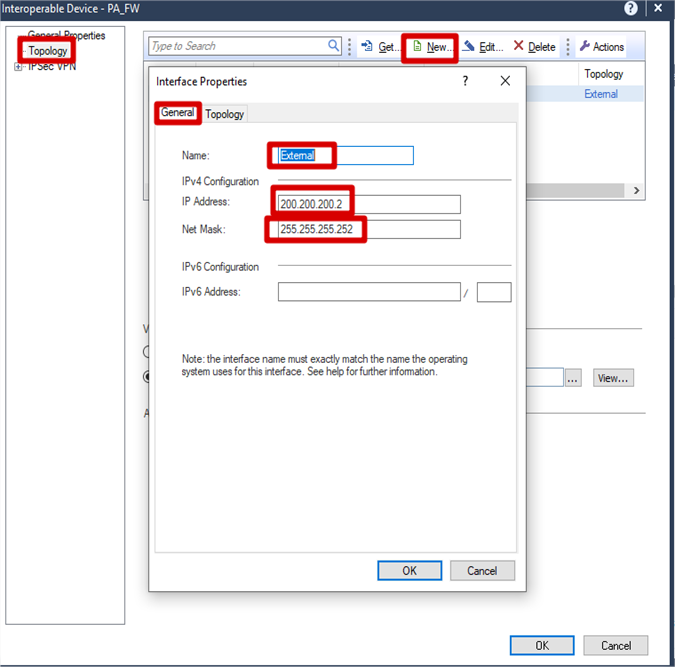
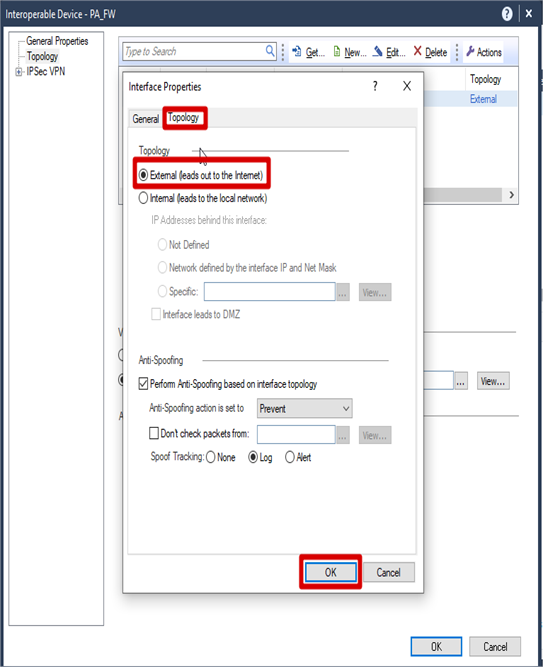
Configuration External Network for PA firewall
Topology >. New >> General >> Name (External) >> IP Address >> Subnet Mask >> Topology >> Checked External >> Click OK
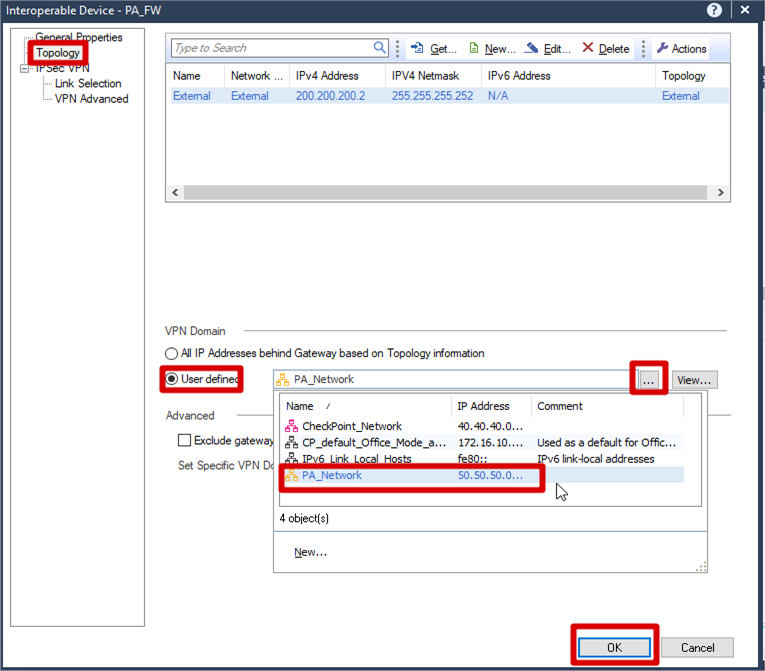
Configuration VPN Domain for PA firewall’s Network
Topology >> VPN Domain >> Check User defined >>
Click PA_Network (the network you created before)
\>> Click OK
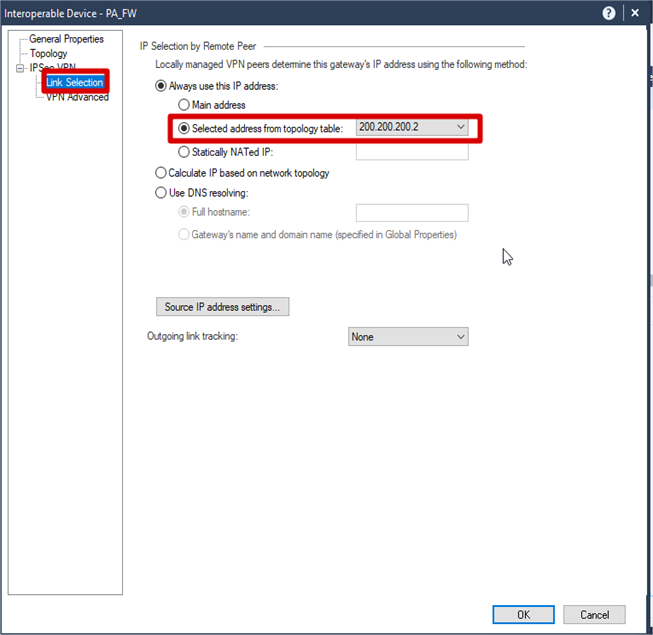
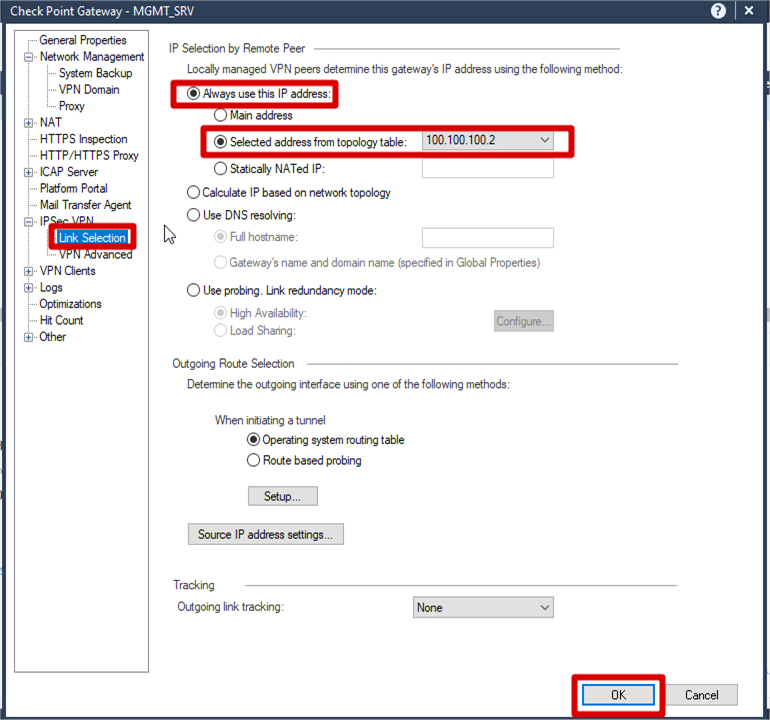
IPSec VPN >> Link Selection >> Check Selected address from topology table
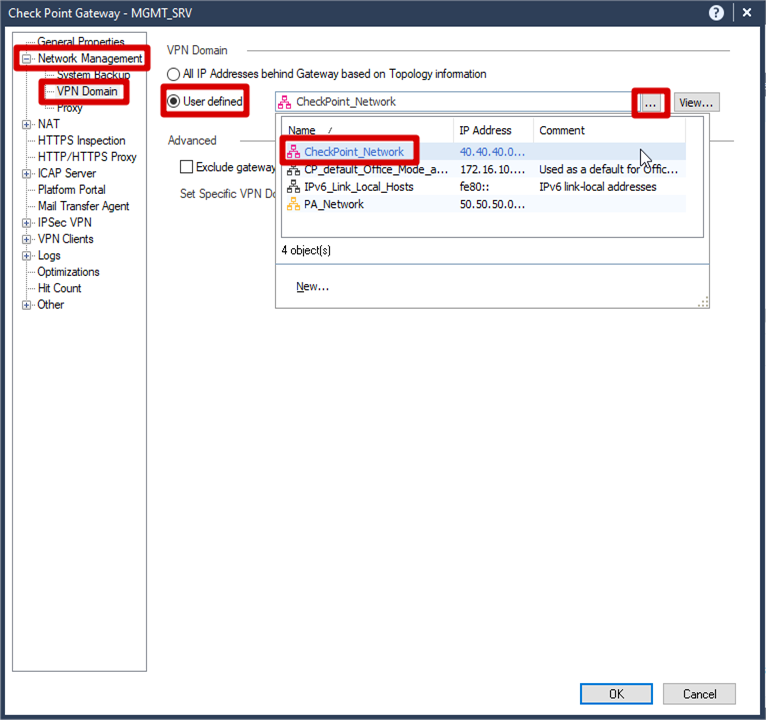
VPN Domain for CheckPoint
In Smart Console Maing Menu >> Click SMS >>
Network Management >> VPN Domain >>
User Defined >> Selected Pre defined Network
Configuration IPSec Peer
Select IPSec VPN >> Link Selection >>
Check Selected address from topology table
\>> Click OK
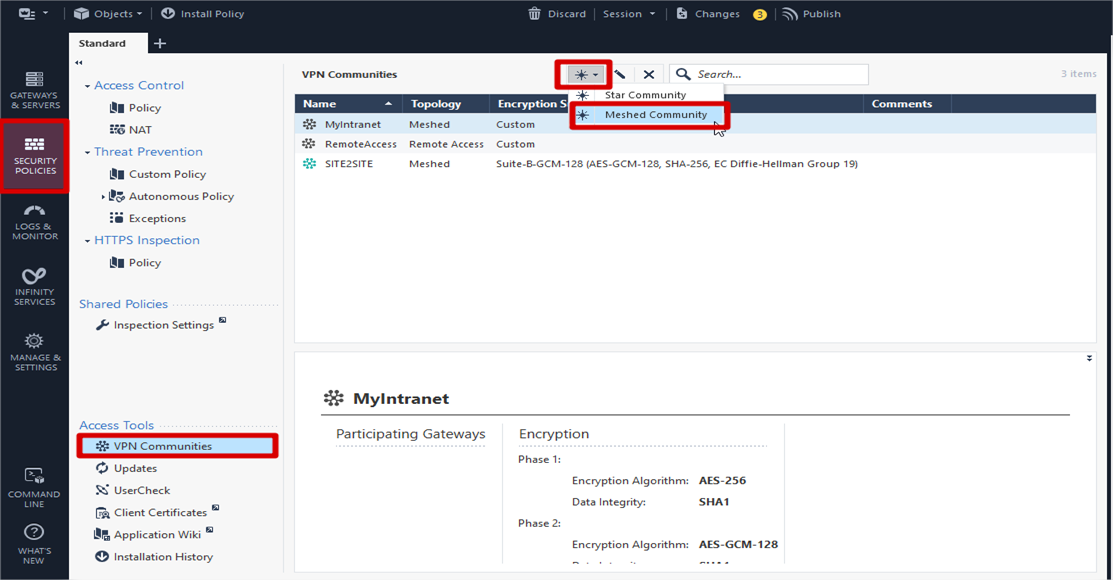
Configuration VPN community
On the Smart Console Main Menu >> Navigate to the left panel >> Select Security Policies >> Click VPN Communities >>
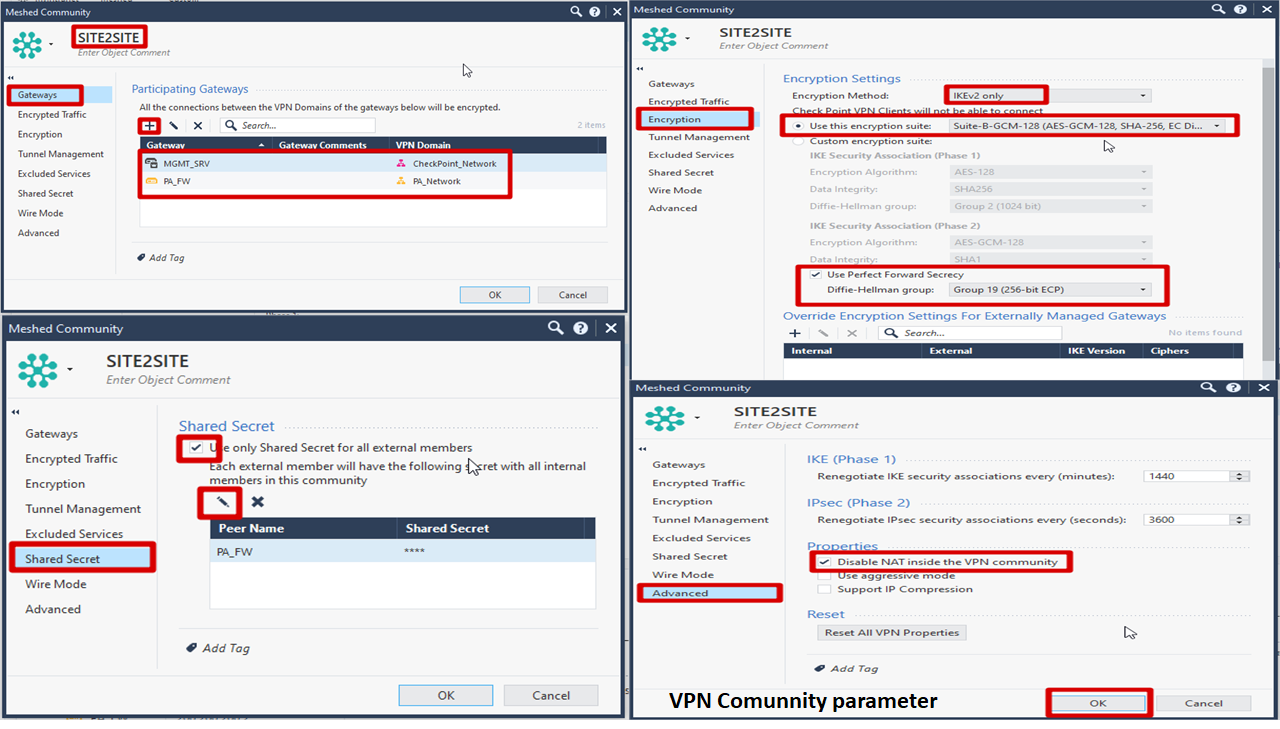
Create Meshed Community
Firewall Policy for IPSec VPN
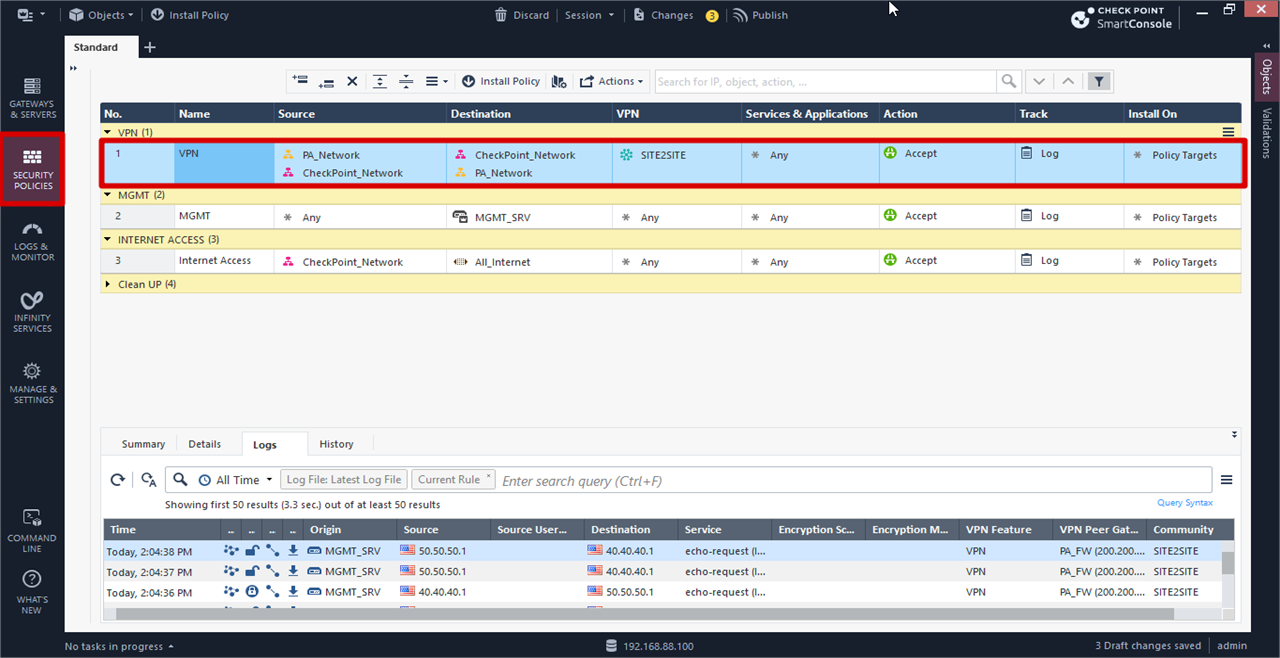
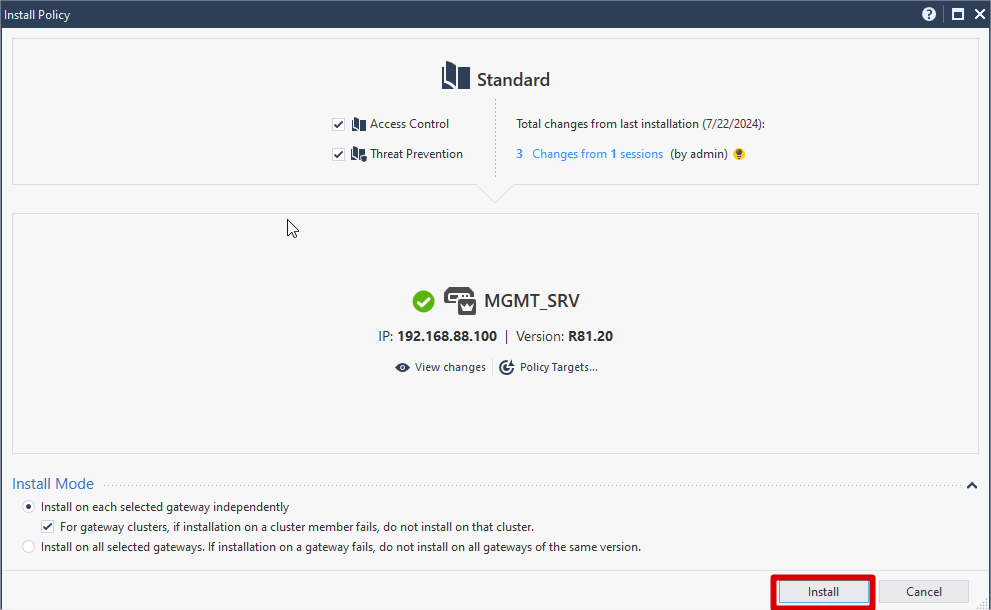
Click Install Policy >> Click Publish and Install on pop up box
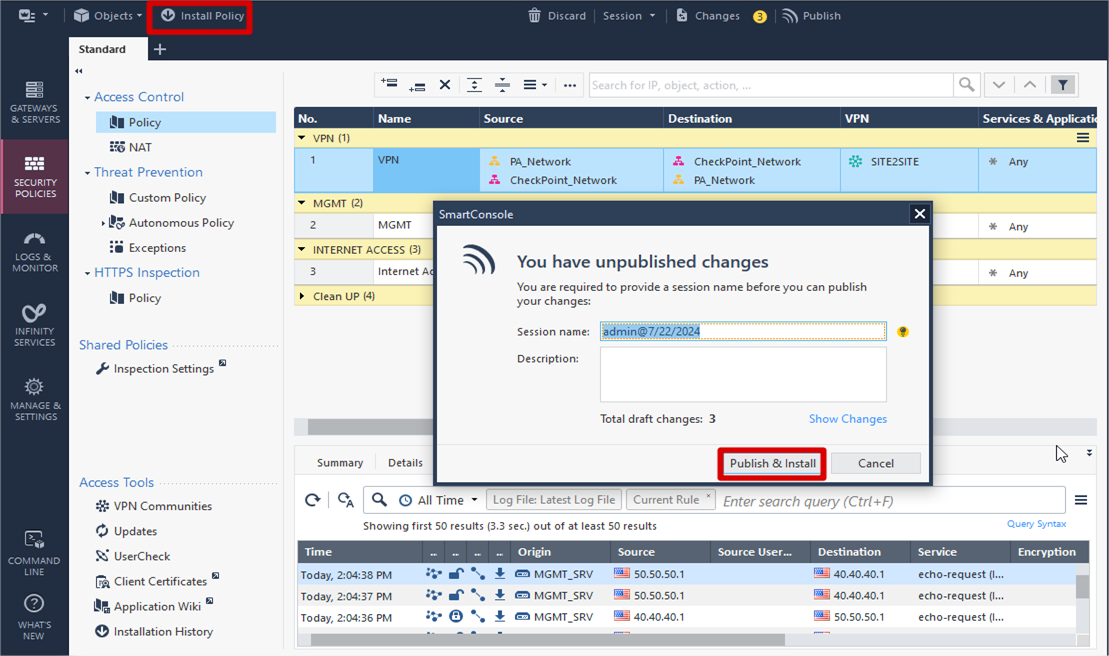
Click Install IPSEC VPN preparation for CheckPoint Side is Done
PaloAlto Side Configuration
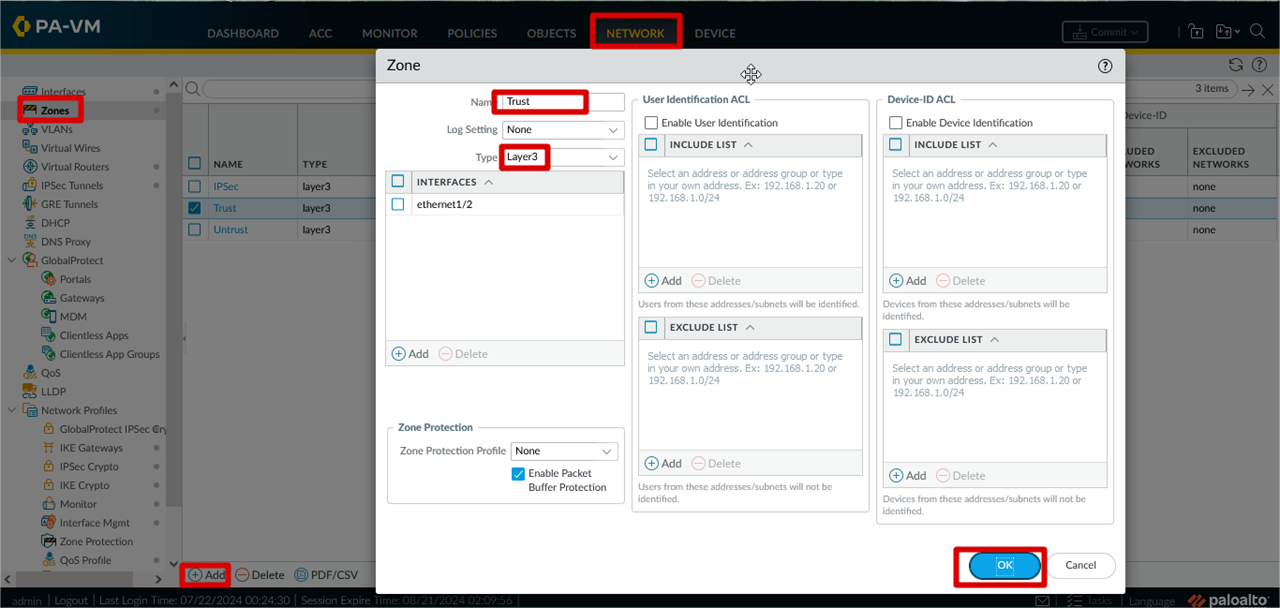
Zone Configuration Trust , Untrust and IPSec Zones
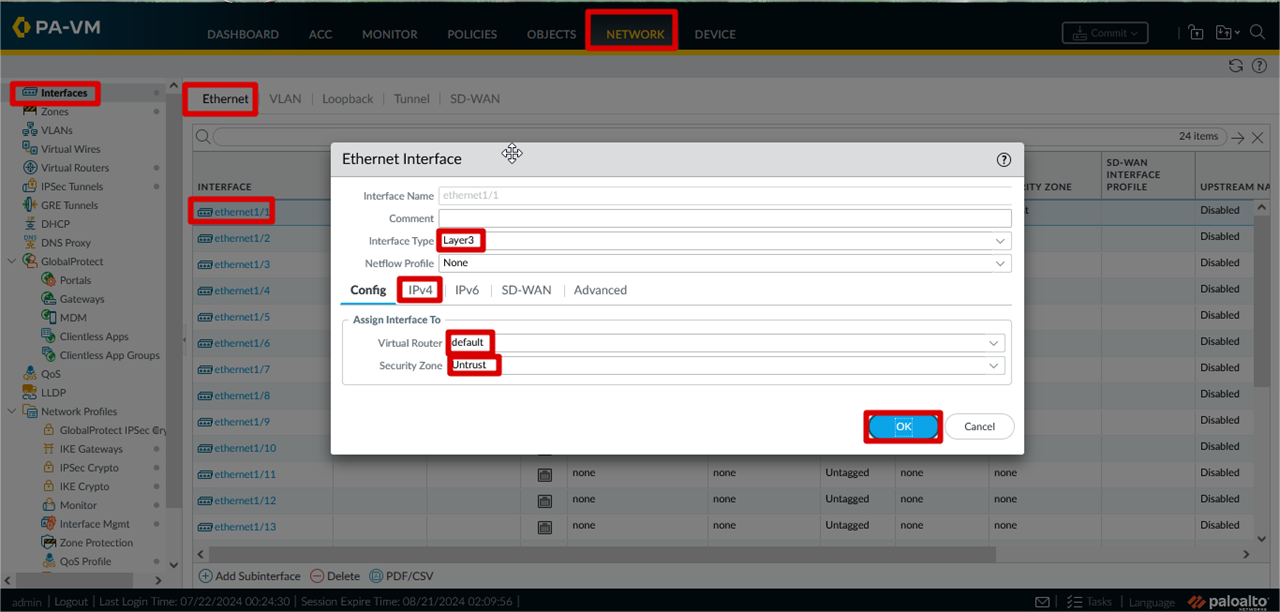
IP Assign Interface (WAN and LAN )
Click >> Network >> Interfaces >> Ethernet >> ethernet 1/1 >> interface type >> Virtual Router >> Security Zone >>
IPv4 >> Advanced >> Click OK
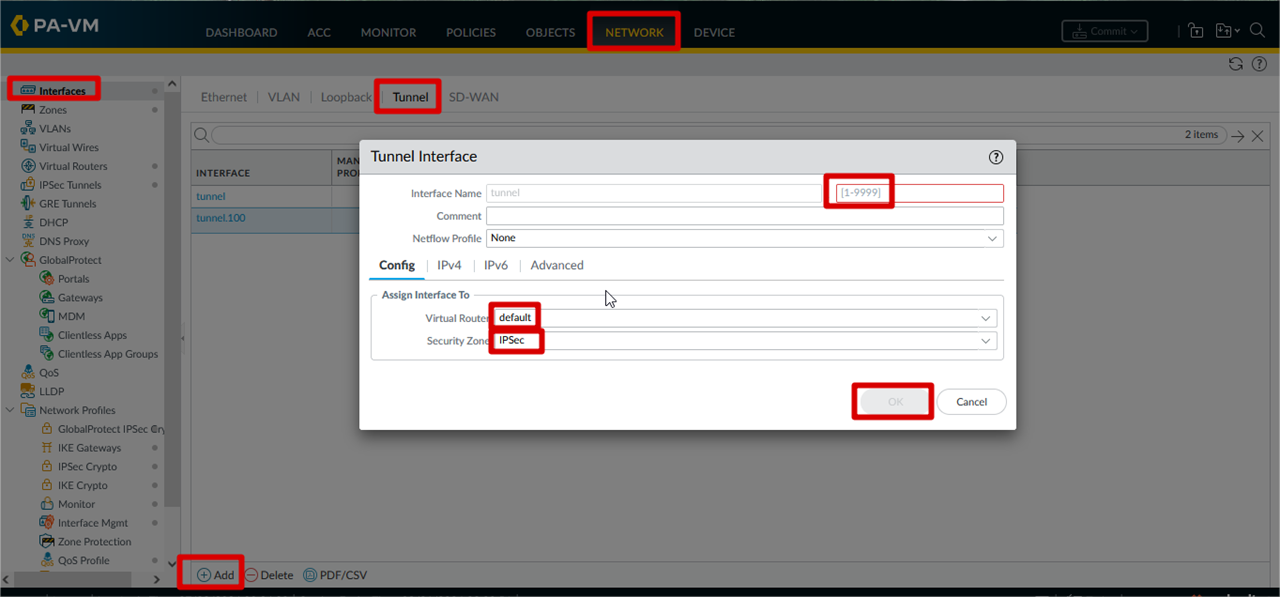
Tunnel Interface configuration for IPSec Tunnel
Network >> interfaces >> Tunnel >> Add >> Tunnel id >> Virtual Router >> Security Zone >> Click OK
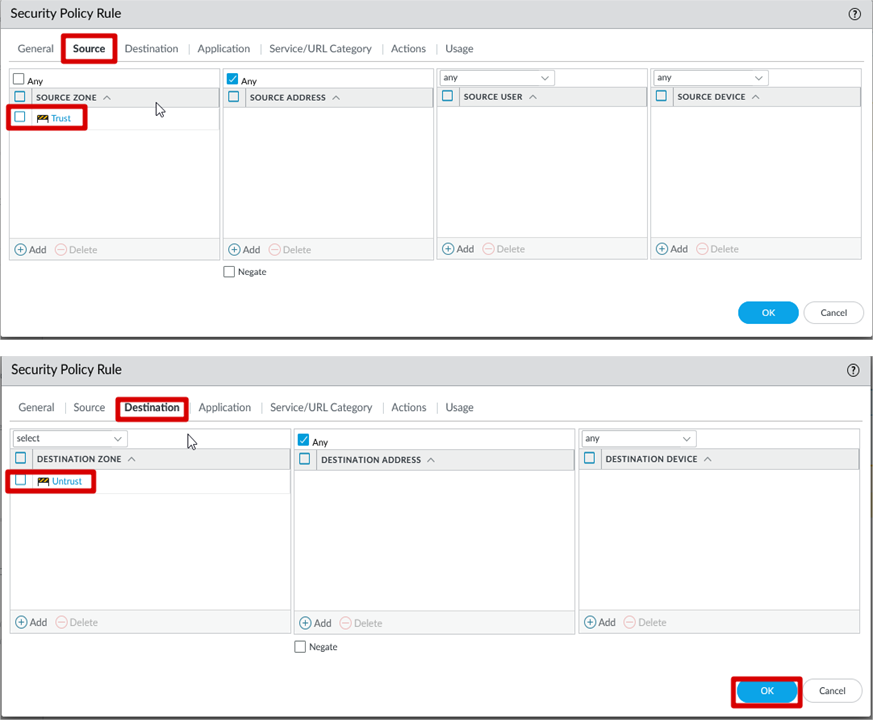
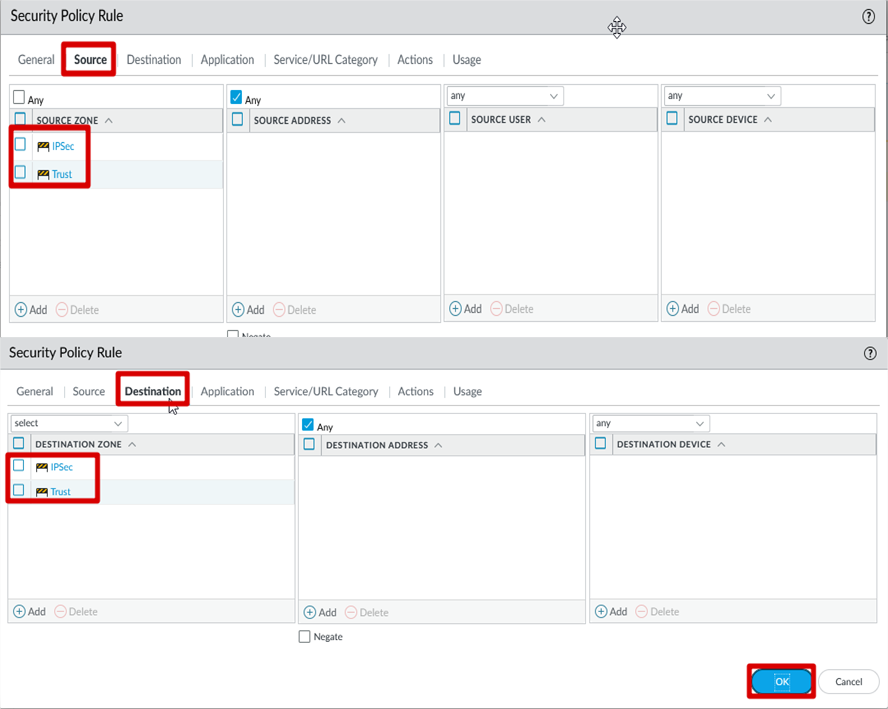
Creation of Security Rule for local network to access internet
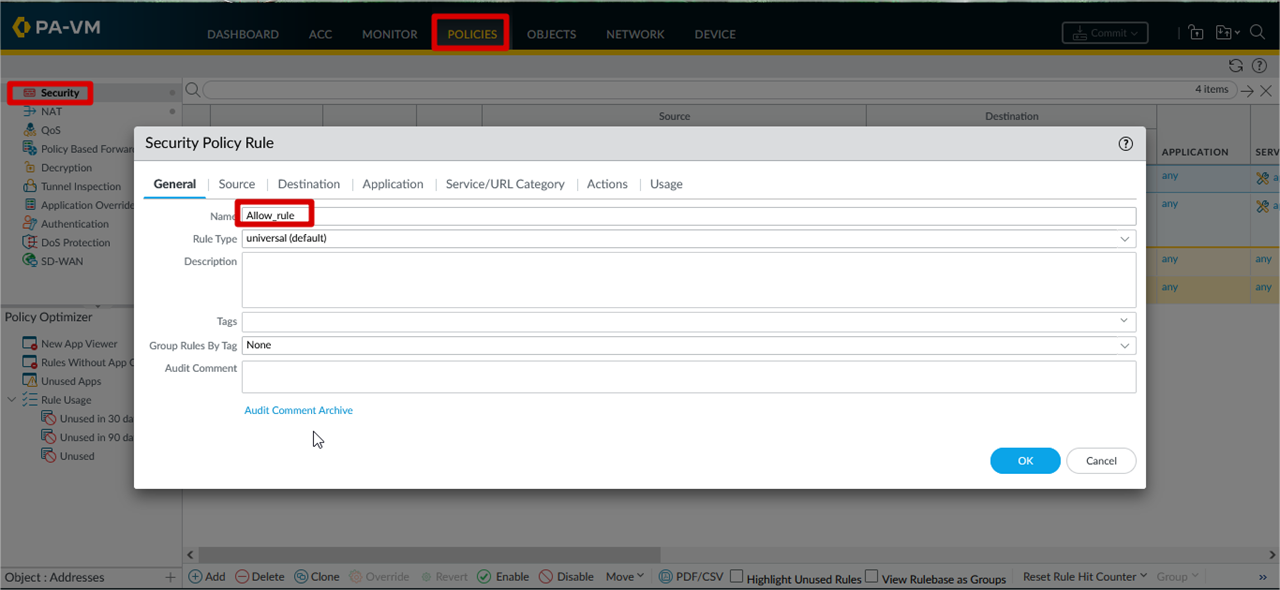
Security Rule Parameter
For local network to access
internet
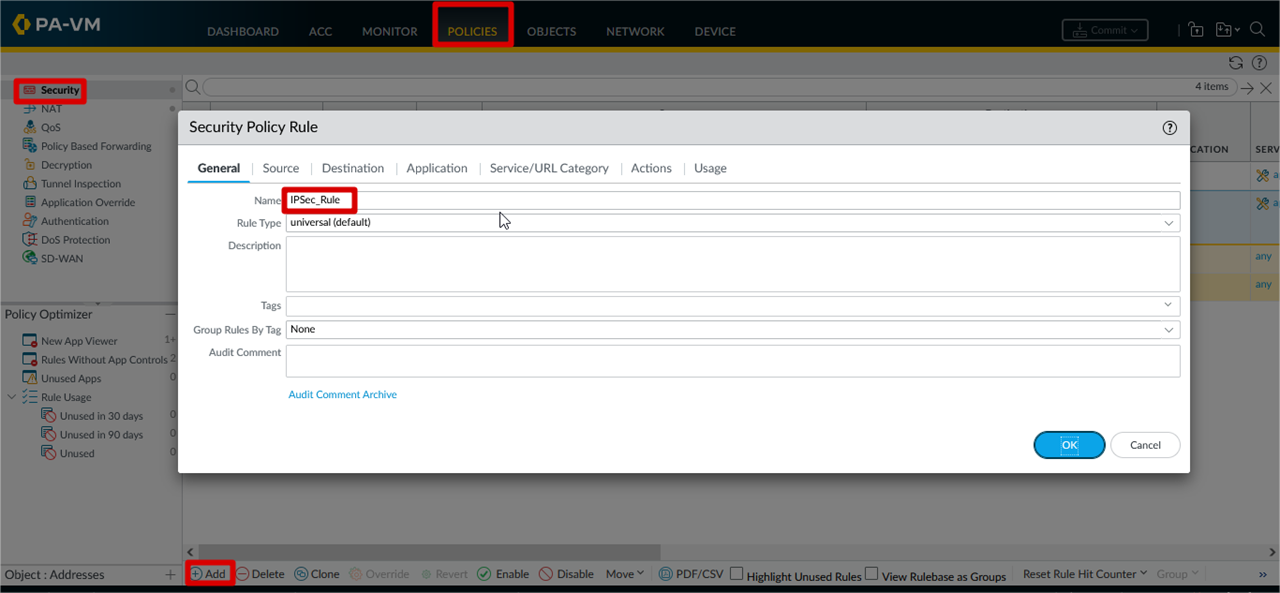
IPSec Security Rule Creation
Click Policies >> General >> Name >> Source >> Destination
Security Rule Parameter for
Ipsec Tunnel
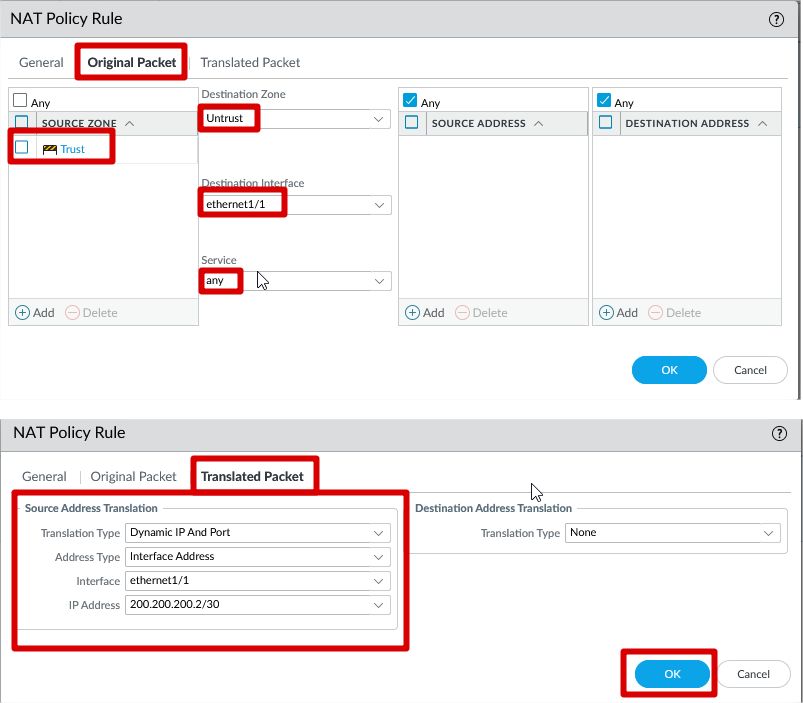
SNAT Configuration
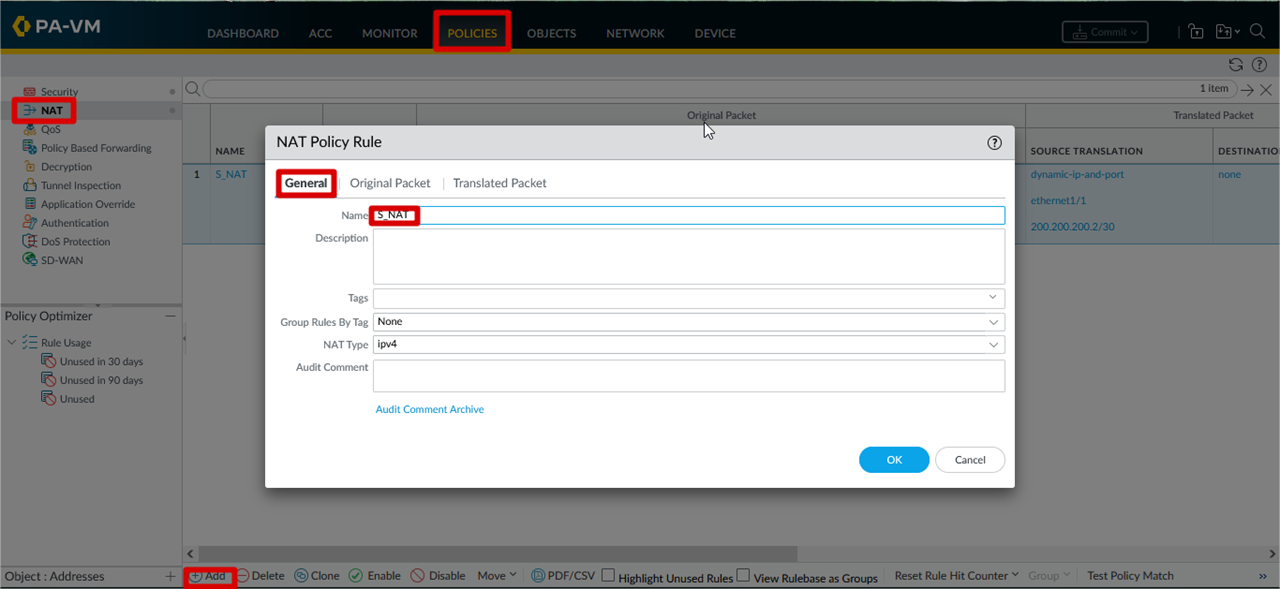
SNAT Parameter
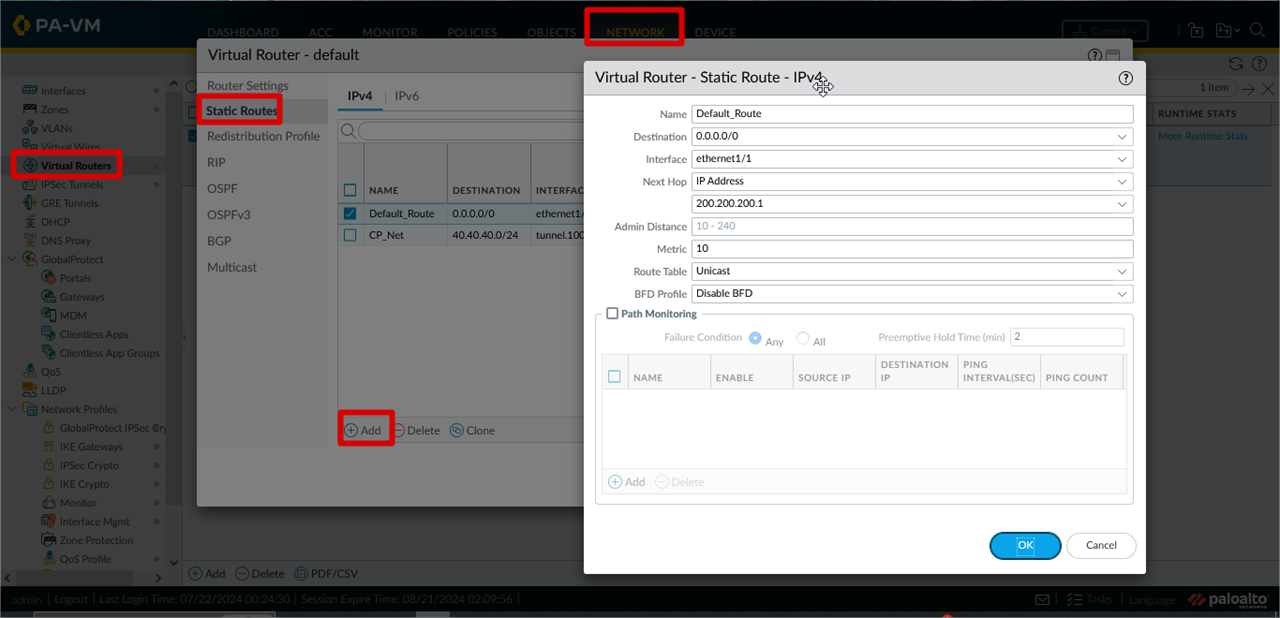
Default Route Configuration
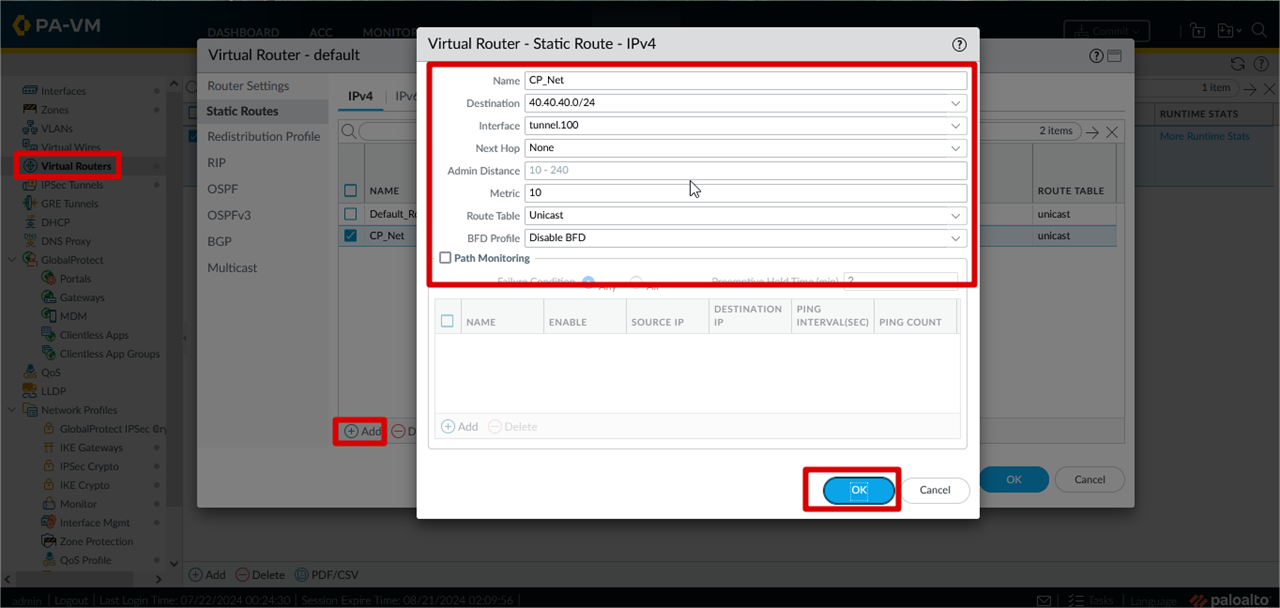
Network >> Virtual Routers >> Click default >> Click Static Routes >> Add >> Configure Static Route >> Click OK
Configure Route for Checkpoint Internal Network
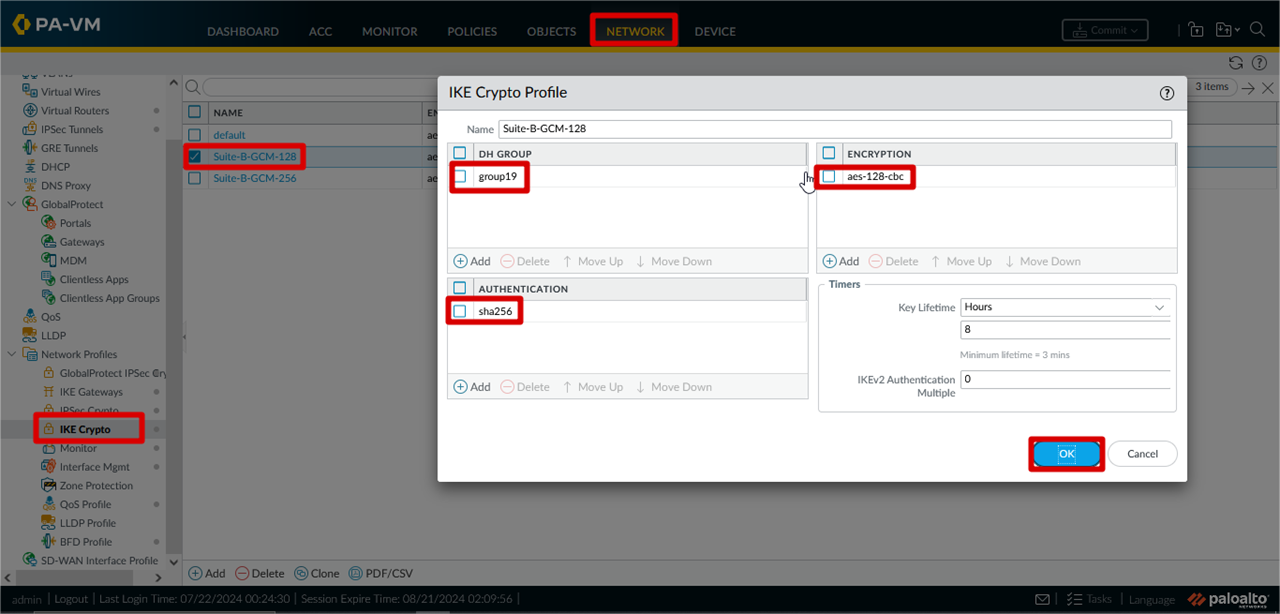
IKE Crypto Profile Configuration
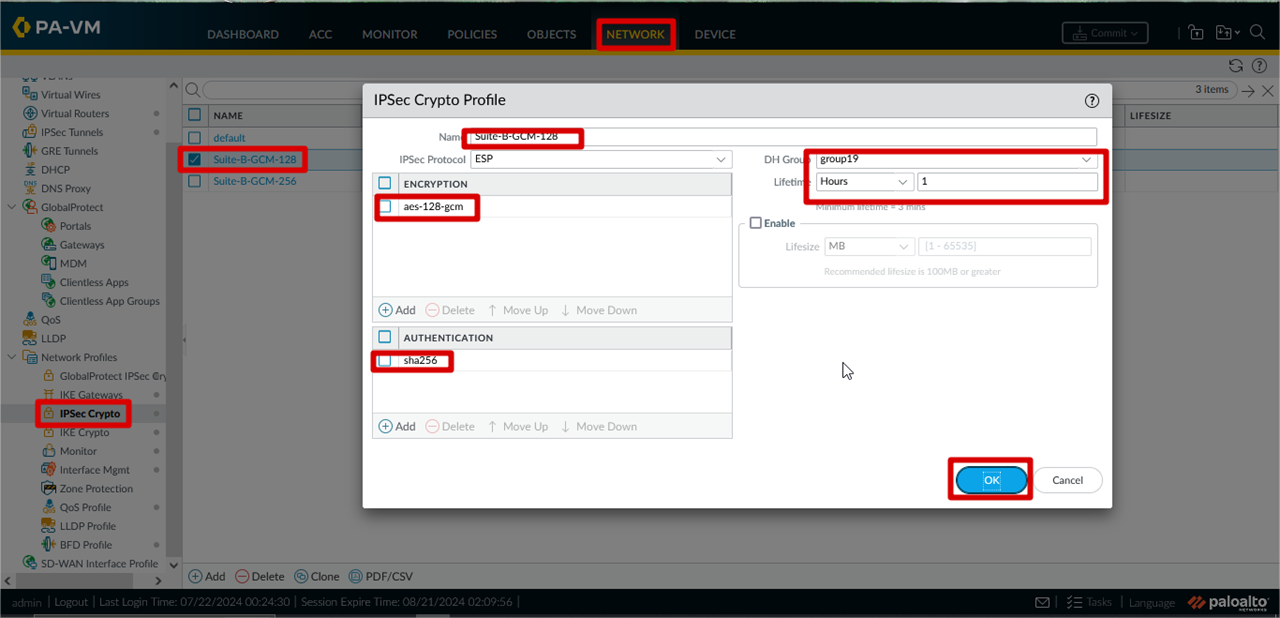
IPSec Crypto Profile Configuration
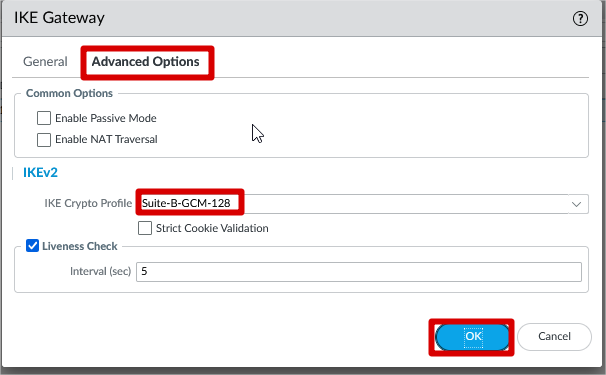
IKE Gateway Configuration
Click Network >> IKE Gateways >> Add >> Name >> Version >> Interface >> Local IP Address >> Peer Address >> Authentication >>
Pre-shared Key >> Click OK
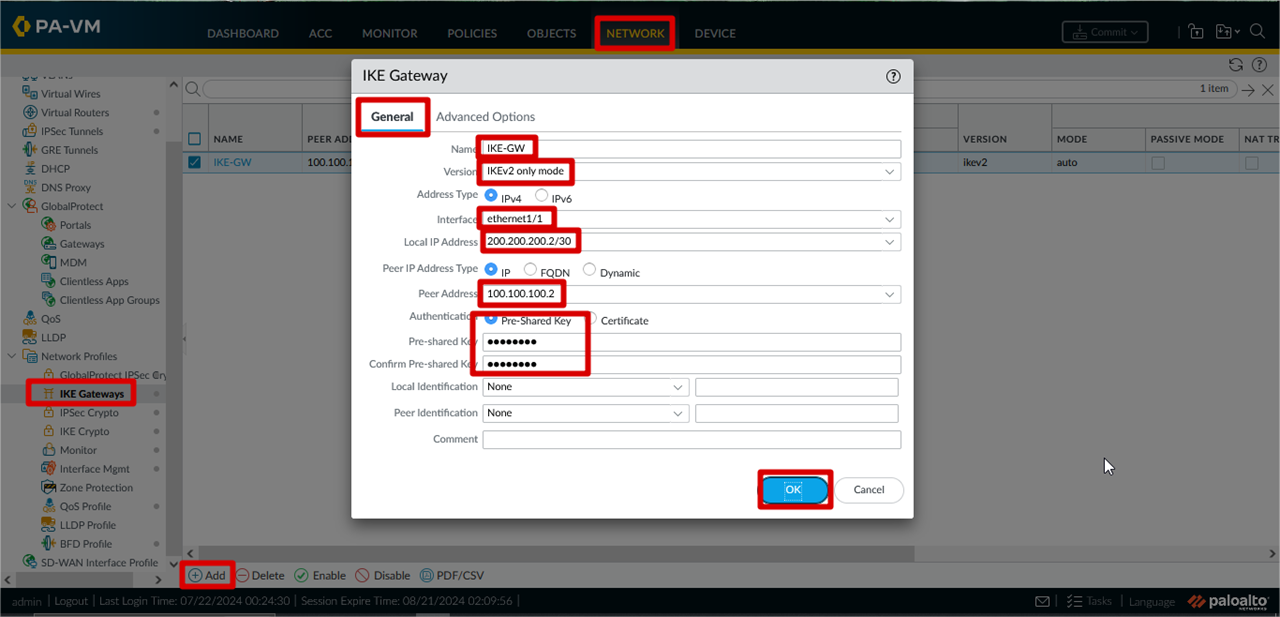
IKE Parameter
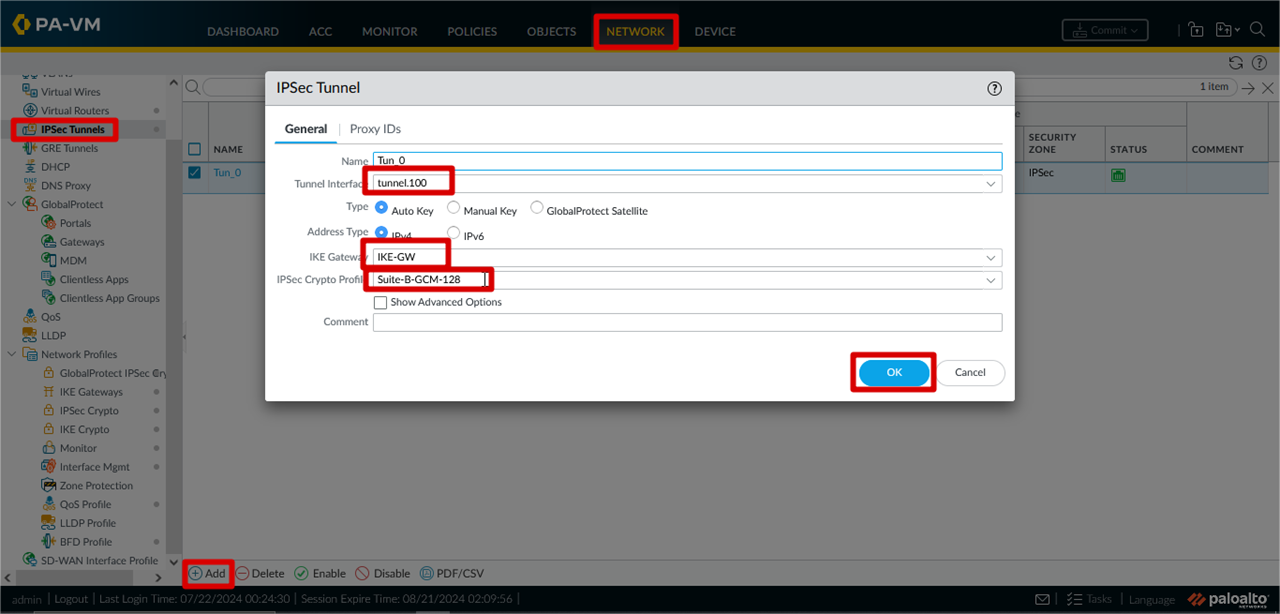
IPSec Tunnel Configuration
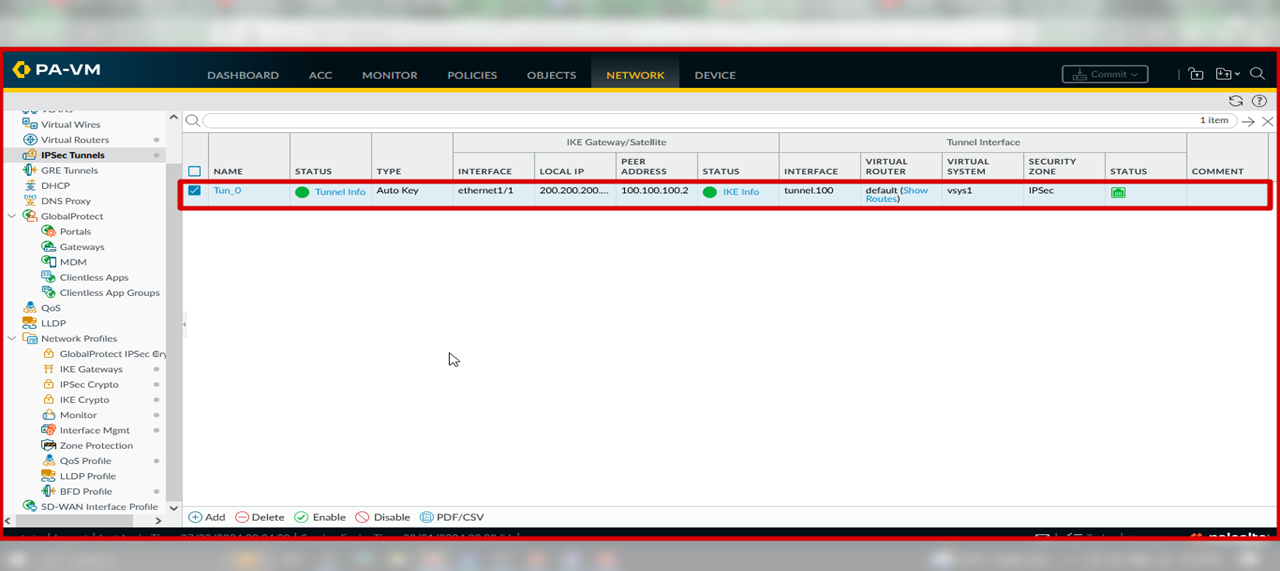
After All Parameter Configure Sucessfully Your IPSec Tunnel Will be up !!!
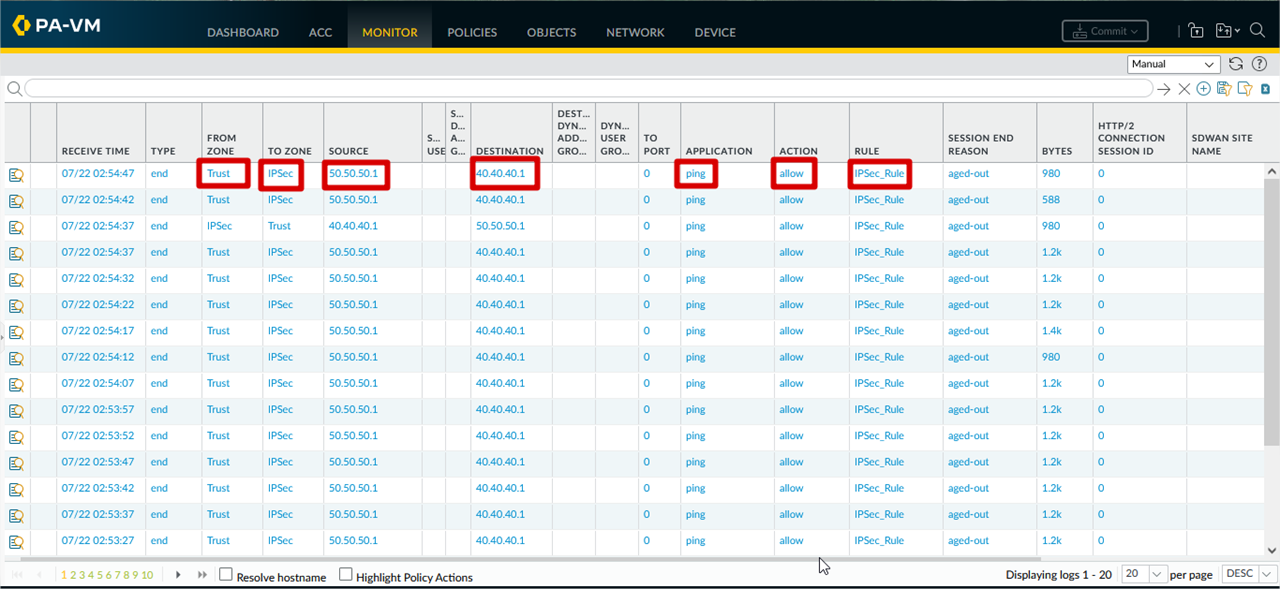
Monitor Traffic From PA Side
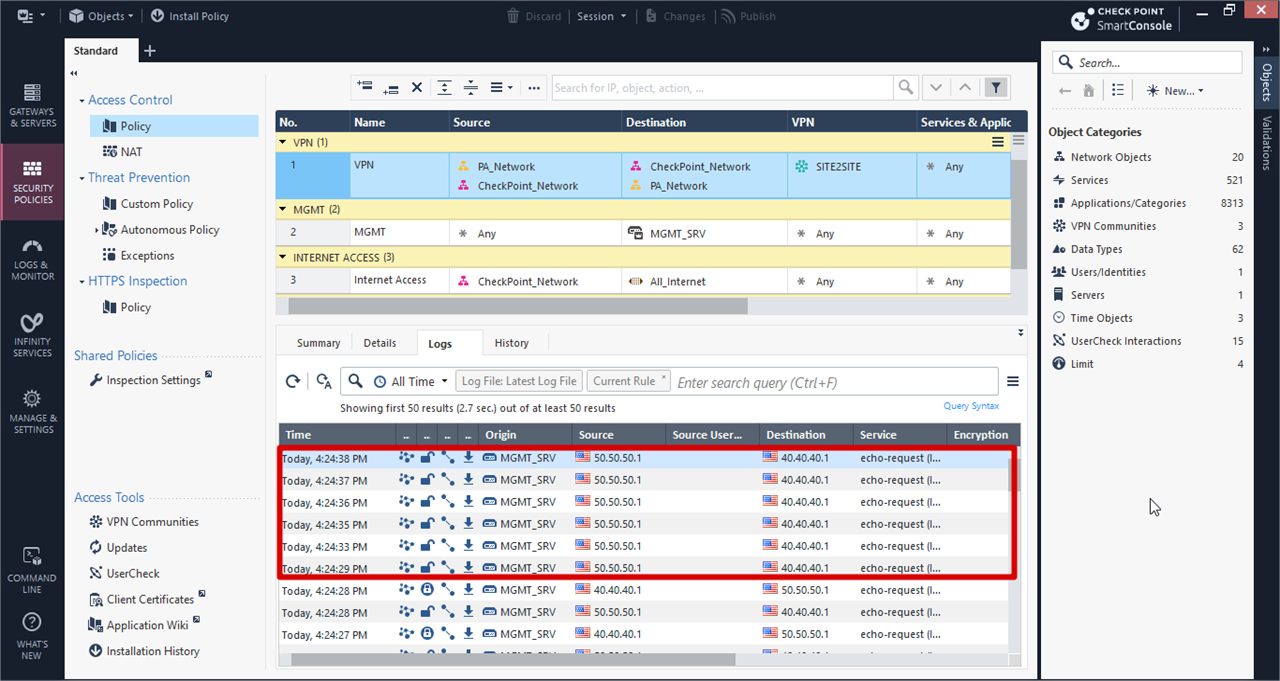
Monitor Traffic From CheckPoint Side
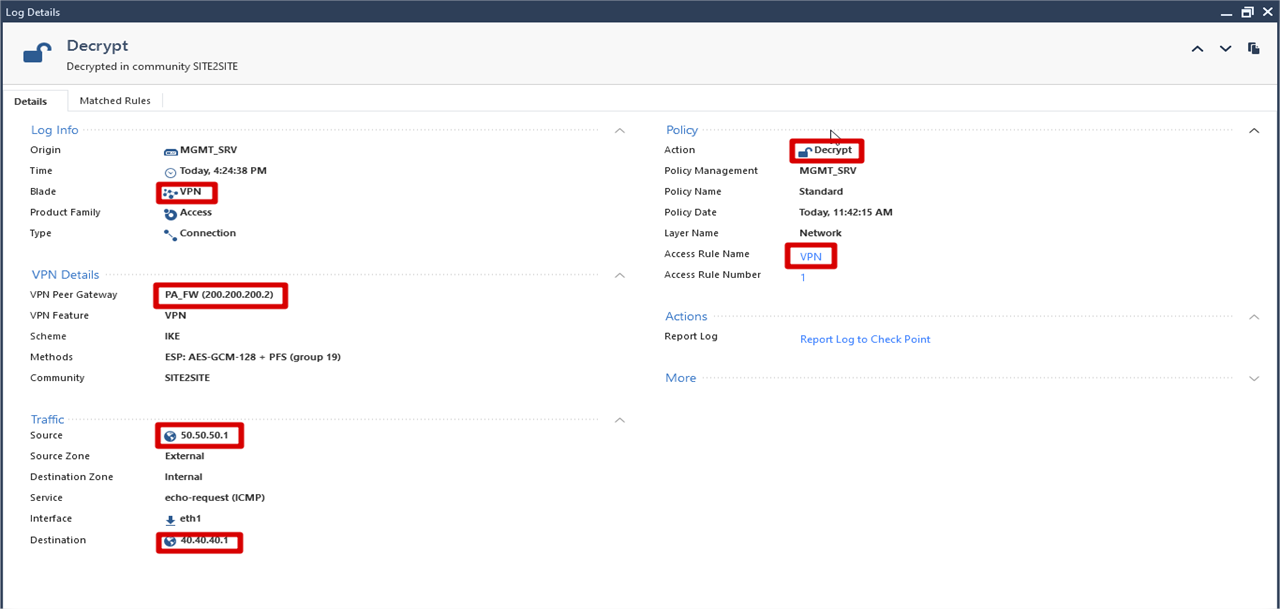
Monitor From CheckPoint Side(Details)
THANK FOR YOUR ATTENTION !!!!!
Comments
Join the discussionNo comments yet. Be the first to comment.